Wednesday, August 20, 2014

Birthday Card - Using Tagxedo

Hello, Friends!  Marilyn here with a birthday card that incorporates some subway art.  I found a fun (free!!) and easy online application from Tagxedo.Com that lets you create your own subway art.

First, here's my finished birthday card:
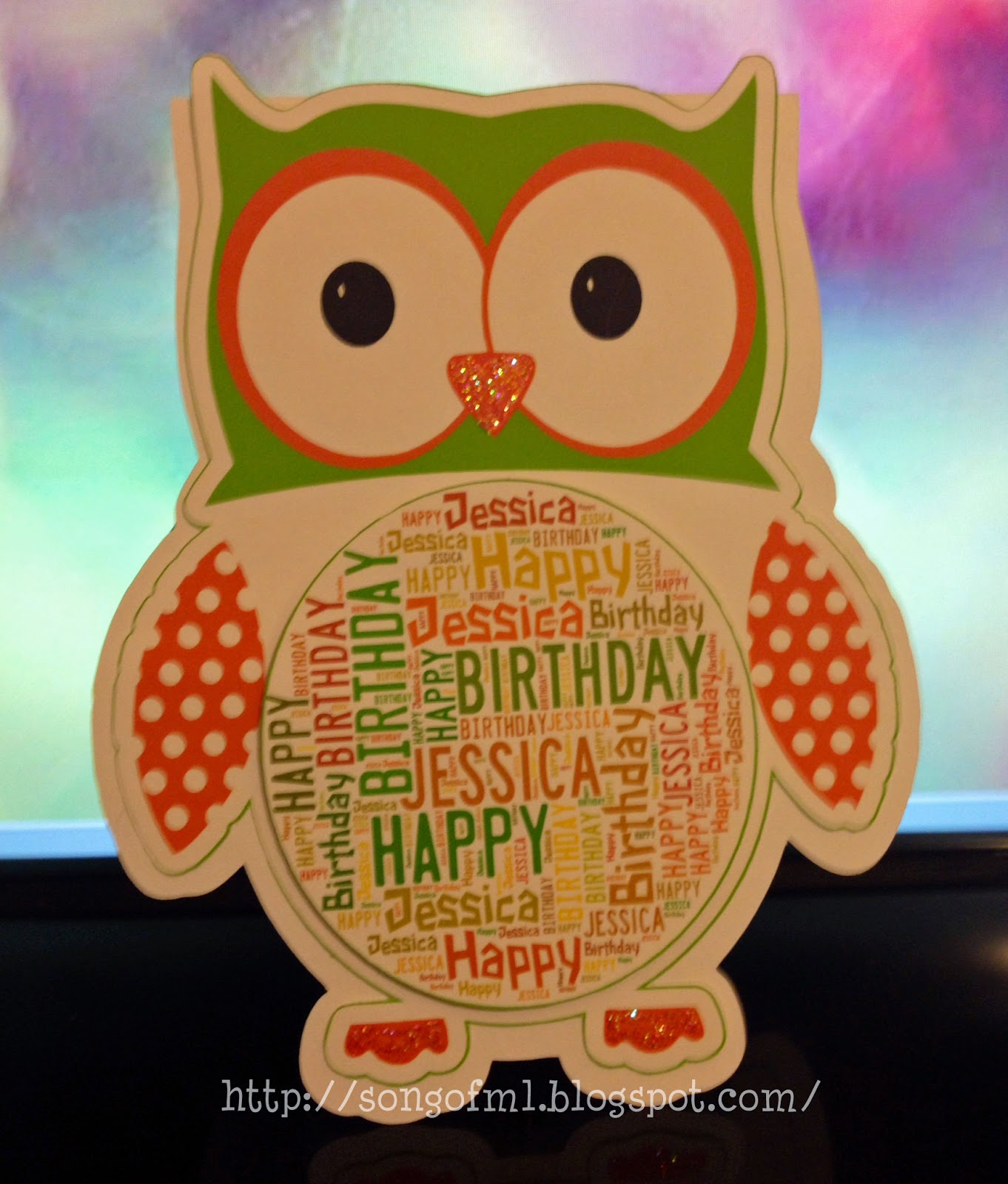
A2 sized card
See the subway art in the center of the owl?

Here's how to do it:

Step 1:  Go to www.tagxedo.com
Step 2:  Select the orange "Create" button on left.


Step 3:  Select the Load Button on the left column.


Step 4:  Type the words that you would like to have included in your final subway art.  Enter the same word more than once and it'll appear larger that the rest.  When done, select Submit button on right.


Step 5:  Go to Theme and select a color choice.

Step 6:  Go to Orientation.  I chose H/V (horizontal and vertical) for mine.

Step 7:  Go to Shape.  I choose the circle.  This made all my words group together in a circle.  I could have chosen "Invert" which would have caused all the words to appear outside of a circle.


Lots of fun shapes available!  You can also upload your own shape.

Step 8:  When you are happy with how your Subway art appears, chose the Save | Share button and save to your computer.

Now that I had my Subway art nicely grouped in a circle, I imported it into my Silhouette software and made it the center of my owl.  The circle subway art is popped up with foam tape.

I hope you enjoyed this tutorial and will give Tagxedo a try.  It's free - so have fun!

~ Marilyn

Saturday, August 16, 2014

Garden Flag

Hello, Friends.  Marilyn here with a tutorial on creating a garden flag.

Garden Flag
Here's what you'll need:

  • Burlap Flag - If you sew, you can make your own.  I purchased mine
  • Garden Flag Stand - I purchased mine at Lowe's for $7.98
  • Silhouette 
  • Vinyl or Ink Transfer - I used Ink Transfer
  • Heat Press or Iron - I used a heat press

After acquiring your burlap garden flag, you'll need to also get a garden flag stand.  I purchased mine at Lowe's for $7.98.  You'll need to screw a couple of the lengths together.

Garden Flag Stand purchased at Lowe's for $7.98
On my garden flag, I decided I wanted a Split Letter of "L" with our family name in the center and our first names at the bottom.  The Split Letter is created within Silhouette using the Regal Font.  To see a tutorial on creating a split letter go here.

Regal Font that was split

Since I used an ink transfer, I just needed to flip my image horizontally and print onto transfer paper.  If you're using vinyl, you'll need to send to your cutter and then weed out the portions not needed.

After printing onto transfer paper, I pressed the ink transfer onto my burlap at 375 degrees for 20 seconds.  The carrier sheet needs to be removed while hot.  I ink pressed both sides of the flag with the same image.

Completed Garden Flag

The finished flag just needs to be slipped onto the flag stand and you're all done.

And . . . a couple of other monogram garden flag versions :

Created with Opaque Transfer Paper


Created with Square1 Iron-On


Back of Garden Flag


Thank you for visiting today! ~ Marilyn